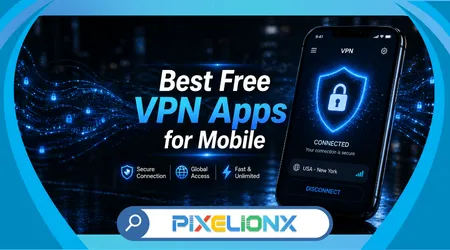
Many people search for Free vpn apps for mobile when they notice strange slowdowns, blocked content, or unfamiliar ads following them across apps. It often starts with something small, like a video not playing or a public Wi-Fi connection feeling unreliable.
The real issue becomes clear when everyday activities—checking email, using banking apps, or browsing social media—start to feel less private. Public networks in cafés, airports, or even home routers with weak security can expose sensitive data without any obvious warning.
This affects a massive number of users because mobile devices are constantly connected, often switching between networks without users realizing the risks. Most people assume their phone is “safe by default,” which is rarely true in real-world usage.
This article breaks down how free VPN apps actually help, which ones are worth using, and how to choose based on real usage patterns rather than marketing claims.
When Your Phone Feels “Off”: A Quick Reality Check
A common situation happens when you connect to public Wi-Fi and suddenly apps behave differently. Pages load slower, videos buffer longer, and sometimes content is blocked depending on your location. Most users blame the connection speed, but the issue is often deeper.
Another overlooked signal is when ads seem unusually personalized right after connecting to a new network. This suggests data interception or tracking layers that users don’t actively see but are constantly present.
Many people also make the mistake of thinking that switching to mobile data automatically solves everything. While it reduces some risks, it doesn’t encrypt your traffic in the same way a VPN does.
If you’ve ever hesitated before logging into a sensitive app on public Wi-Fi, that hesitation is justified. It’s exactly the kind of scenario where a VPN becomes relevant, not optional.
What Free VPN Apps Actually Do (and Don’t Do)
Free VPN apps create an encrypted tunnel between your device and the internet, masking your IP address and protecting data from interception. This is particularly useful on unsecured networks where attackers can monitor traffic.
However, not all VPNs are equal in how they implement encryption and routing. Some free options limit speed, restrict server access, or log user data to compensate for being free.
According to the Federal Trade Commission, consumers should be cautious with free digital services that rely on data collection as part of their business model. Their guidance on privacy risks explains how some apps monetize user behavior instead of charging fees, which directly applies to certain VPN providers. You can review their recommendations in this FTC consumer privacy guidance to understand how these practices work.
In practice, the best free VPNs strike a balance: limited features, but transparent policies and reliable encryption.
Top Free VPN Apps Worth Considering
Below is a practical comparison of widely used free VPN apps based on real usage, not just feature lists.
| Tool / App | Main Feature | Best Use Case | Platform Compatibility | Free or Paid |
|---|---|---|---|---|
| Proton VPN | No data limit | Daily browsing with privacy focus | iOS, Android | Free + Paid |
| Windscribe | Generous free data | Streaming and occasional downloads | iOS, Android | Free + Paid |
| TunnelBear | Simple interface | Beginners and casual users | iOS, Android | Free + Paid |
| Hide.me | Strong privacy tools | Advanced users needing control | iOS, Android | Free + Paid |
Proton VPN stands out because it doesn’t impose data caps, which is rare among free options. It’s ideal for users who want consistent protection without constantly monitoring usage.
Windscribe is more flexible for streaming scenarios, though its free plan includes a monthly data limit. In real use, it performs better than expected for short sessions.
TunnelBear simplifies everything, making it perfect for users who don’t want to deal with configuration. The trade-off is a stricter data cap.
Hide.me offers more technical control, which can be useful, but casual users may find it unnecessarily complex.
See Also:
Ranking Based on Real-World Performance
When testing these apps under normal daily usage—browsing, streaming, switching networks—the ranking becomes clearer.
Proton VPN ranks first because stability matters more than speed spikes. It maintains consistent performance even on crowded networks, which is something users notice over time.
Windscribe comes second due to its versatility. It’s not the fastest in all situations, but it adapts well across different tasks, which is valuable in unpredictable mobile environments.
Hide.me ranks third for its strong privacy configuration options. However, its interface slows down decision-making for less experienced users.
TunnelBear sits last in this ranking, not because it’s bad, but because its limitations become noticeable quickly in real usage, especially with data caps.
How VPNs Actually Change Daily Usage
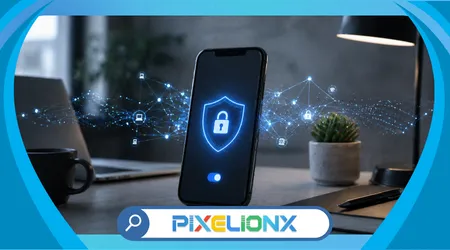
Imagine connecting to a café Wi-Fi without a VPN. Pages load normally, but your data travels unencrypted, making it visible to network-level monitoring.
Now compare that to using a VPN. The connection may be slightly slower, but your data is encrypted, and your IP address is masked. The difference isn’t always visible—but it’s significant.
A typical real-world pattern: users start using a VPN only for banking or sensitive tasks. Over time, they realize it’s more practical to leave it active permanently, especially when moving between networks.
The biggest shift happens in mindset. Instead of reacting to risks, users begin preventing them.
Key Differences That Actually Matter
Many comparisons focus on speed or server count, but real differences show up in behavior under pressure.
Some VPNs disconnect silently when switching networks, exposing your data briefly. Others maintain a stable tunnel, which is critical but rarely advertised.
Another difference is how apps handle background activity. Certain VPNs drain battery faster because they constantly re-establish connections, while others are optimized for mobile efficiency.
In practice, reliability during transitions—like moving from Wi-Fi to mobile data—is more important than peak speed performance.
The Hidden Trade-Offs You Should Expect
Free VPNs are not designed to replace premium services completely. They are entry points.
You will likely face limitations such as reduced server options, slower speeds during peak hours, or data caps. These are not flaws—they are part of the business model.
A less obvious limitation is consistency. Some free VPNs perform well one day and struggle the next due to server congestion.
Understanding this helps avoid frustration. The goal is not perfection, but improved security compared to having no protection at all.
Privacy Risks and How to Stay Safe
Using a VPN does not automatically guarantee privacy. The provider itself becomes a critical point of trust.
Some free VPNs log browsing activity or sell anonymized data to third parties. This defeats the purpose of using a VPN in the first place.
Research from Apple highlights how encryption protects data in transit but does not eliminate all privacy risks, especially when trust in the service provider is uncertain. Apple explains in its official iPhone privacy documentation that iCloud Private Relay encrypts traffic leaving the device and helps prevent third parties from tracking browsing activity. You can explore this in detail through this Apple Support – Protect your web browsing with iCloud Private Relay on iPhone, which demonstrates how mobile privacy protection works in real-world scenarios.
A practical rule: if a VPN offers “unlimited everything” for free without clear transparency, it’s worth questioning how it sustains itself.
Making the Right Choice for Your Situation
If your priority is constant protection without thinking about limits, Proton VPN is the most reliable starting point.
If you occasionally need a VPN for streaming or bypassing restrictions, Windscribe offers better flexibility.
For users who prefer simplicity and minimal setup, TunnelBear remains a solid entry-level option.
Advanced users who want more control over configurations may find Hide.me more aligned with their needs.
The right choice depends less on features and more on how you actually use your phone daily.
Conclusion
Free VPN apps solve a very real problem that many mobile users only recognize after experiencing slowdowns, blocked content, or privacy concerns. They are not just tools for advanced users—they are becoming essential for everyday browsing.
The key insight is that not all VPNs are built for the same purpose. Some prioritize simplicity, others focus on flexibility, and a few emphasize privacy above everything else. Choosing without understanding this often leads to frustration.
In real-world usage, consistency matters more than peak performance. A stable, always-on VPN delivers more value than one that performs well only occasionally.
There is also a trust layer that cannot be ignored. The provider you choose has visibility into your connection, which makes transparency and reputation critical factors.
Ultimately, the best decision is not about finding the “perfect” VPN, but selecting one that aligns with your habits and protects you where it matters most—during everyday use.
FAQ
1. Are free VPN apps safe to use?
Some are safe, but only if they have transparent privacy policies and do not log user data. Avoid unknown providers.
2. Do free VPNs slow down internet speed?
Yes, slightly. Encryption and server routing add overhead, but the impact varies by provider.
3. Can I use a free VPN for streaming?
Yes, but data limits and speed restrictions may affect the experience.
4. Is it necessary to keep the VPN on all the time?
For consistent protection, yes. Many users eventually adopt this habit.
5. What is the biggest risk when using a VPN?
Choosing an untrustworthy provider that logs or sells your data.